이번에 더듬어볼 기억은 ..
keyframes 도 const 로 따로 빼서 관리하는 거 + styled component 조건문처럼 쓰기 !!
✅ 회전 애니메이션 만들기
먼저 keyframes를 사용해 회전하는 애니메이션을 정의한다.
import styled, { keyframes } from "styled-components";

const rotationAnimation = keyframes`
	0% {
    	transform: rotate(0deg);
        border-radius: 0px;
    }
    50% {
    	border-radius: 100px;
    }
    100% {
    	transform: rotate(360deg);
        border-radius: 0px;
    }
`;
✅ Box 컴포넌트에 애니메이션 적용
const Box = styled.div`
	height: 200px;
    width: 200px;
    background-color: tomato;
    display: flex;
    justify-content: center;
    align-items: center;
    animation: ${rotationAnimation} 1s linear infinite;

    ${Emoji} {
    	&:hover {
        	font-size: 98px;
        }
    }
`;- animation: ${rotationAnimation} 1s linear infinite: Box가 무한히 회전
- ${Emoji} &:hover: Box 안의 Emoji 컴포넌트에 마우스를 올리면 font-size가 커짐
✅ Emoji 컴포넌트 정의
const Emoji = styled.span`
	font-size: 36px;
`;
✅ 사용
function App() {
	return (
    	<Wrapper>
        	<Box>
            	<Emoji>🤩</Emoji>
            </Box>
        	<Emoji>🔥</Emoji>
       	</Wrapper>
    );
}
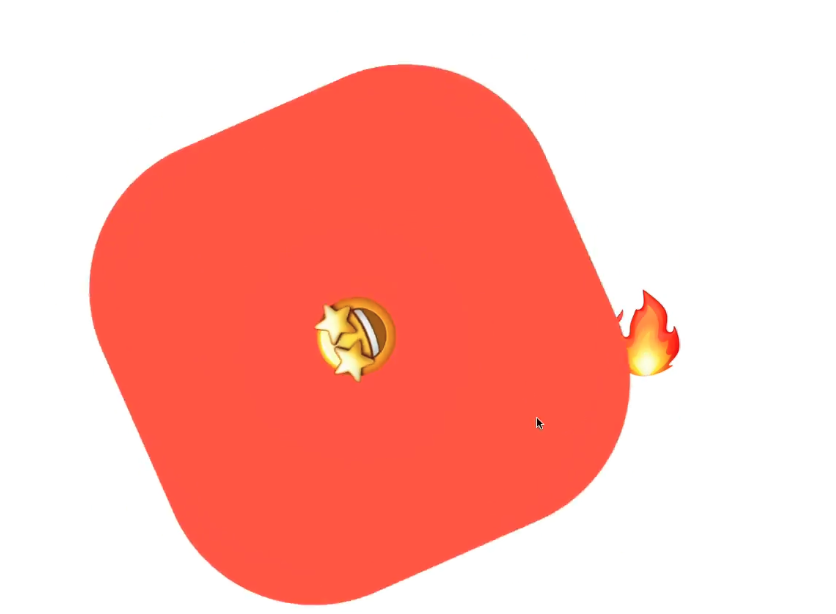
결과:
- 하나의 Box는 회전하고, 그 안의 이모지는 마우스를 올리면 커짐
- 바깥에 있는 이모지는 회전하지 않고 그대로 표시됨
- 마치 If 문처럼 사용할 수 있다 !
'Frontend > 🌐 React' 카테고리의 다른 글
| useState는 어떻게 값을 기억하는가 (리액트 코드로 Fiber 구조와 렌더링 살펴보기) (2) | 2026.05.13 |
|---|---|
| 🌗 Styled Components로 라이트/다크 모드 전환하기 (0) | 2025.03.26 |
| Styled Component에서 컴포넌트 확장하기 (0) | 2025.03.26 |
| React validation 리액트 유효성 검사 Formik VS REACT Hook form (0) | 2023.01.12 |
| react iframe에 의해 클릭 안되는 문제 해결 (0) | 2023.01.06 |
댓글